
Learn how to locate the accessibility audit for a specific page in the SimplifyAccess admin dashboard.
This guide shows you how to access the checker using the dynamic search and filter fields. We'll show you how to identify the most significant accessibility blocker and retrieve the exact technical selector your developer needs to address them.
1. Navigate to https://admin.simplify-access.com/urls
Click the search box icon at the top of the list.
Enter the keyword for the page you are looking for.
Click the page title or URL to open the corresponding dashboard.
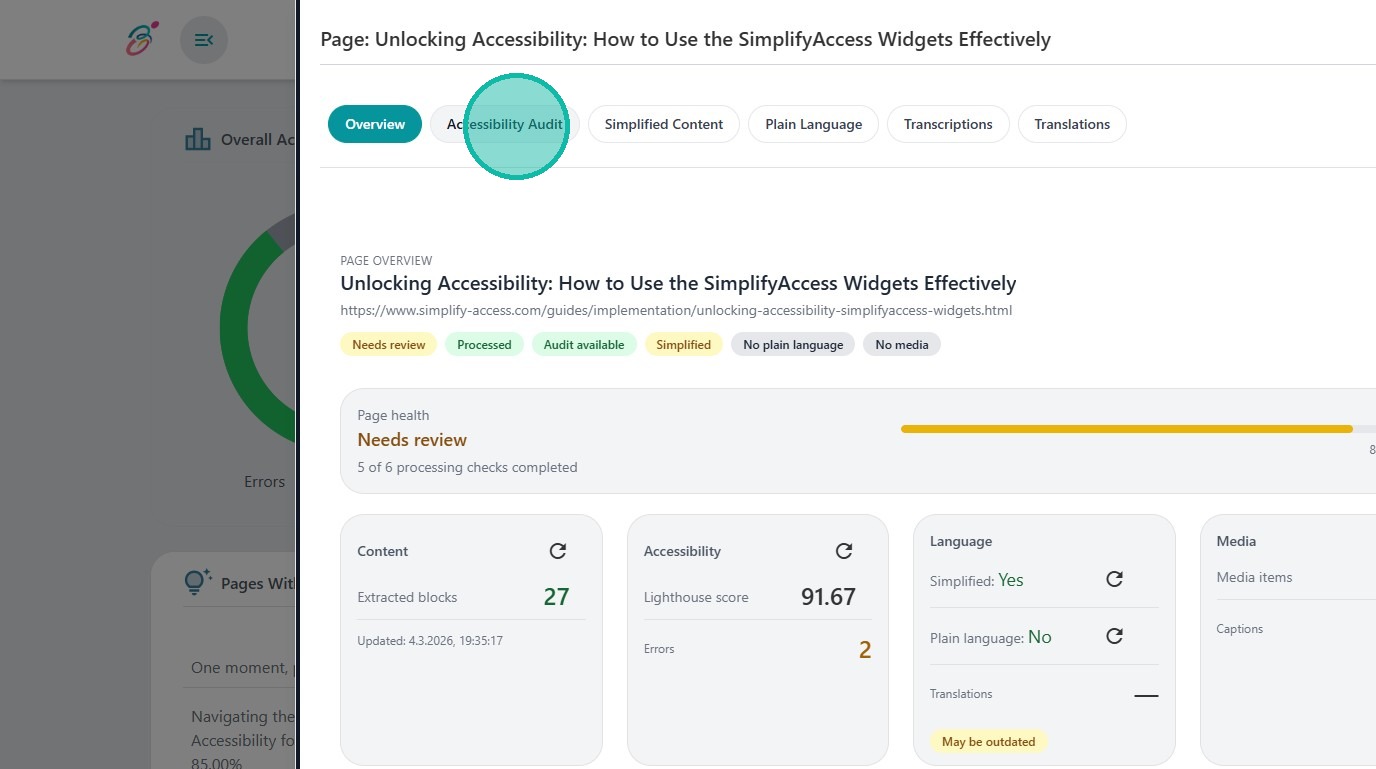
2. Click Accessibility Audit to switch to the Audit-Panel
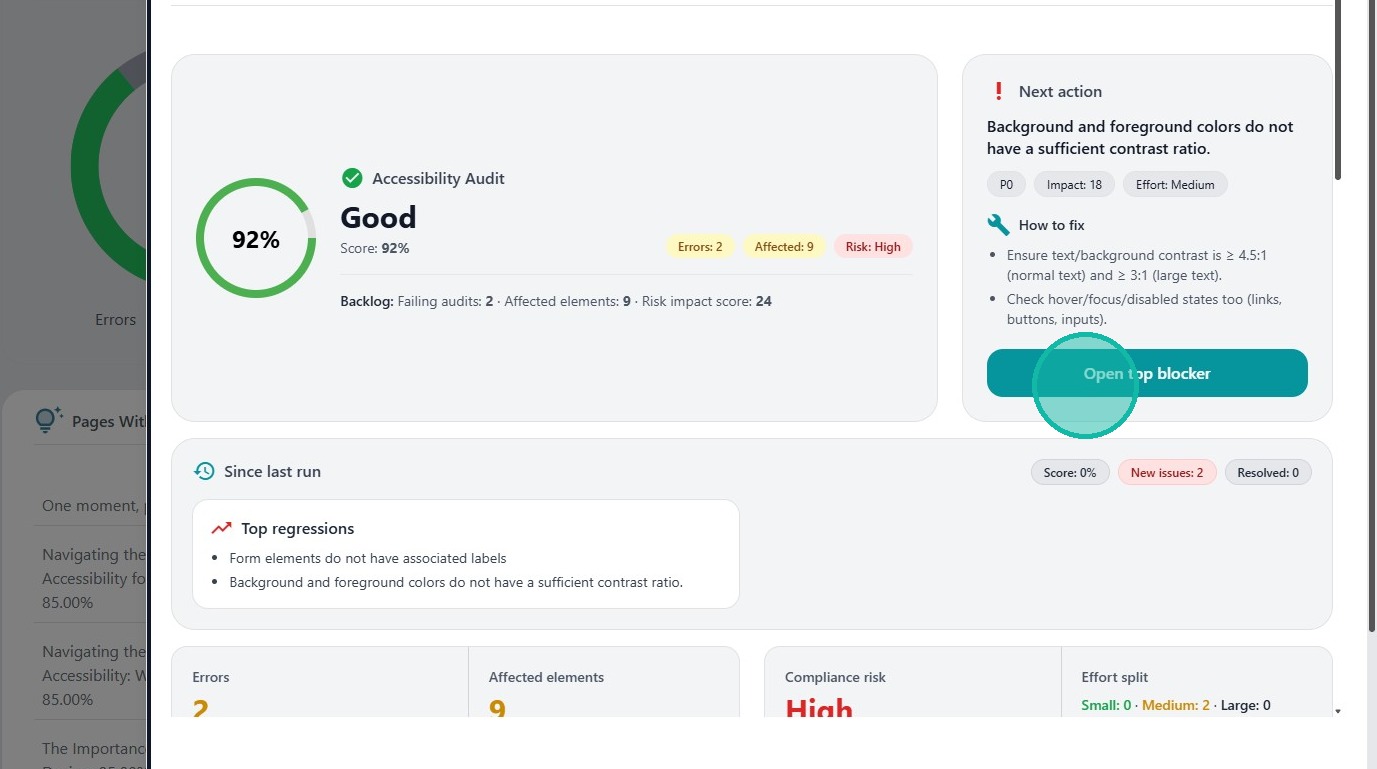
3. Click Open top blocker to move to the most important accessibility issue.

4. - The Fix Guide contains information about the problem and a possible solution.
- Click on Technical Details for a problem description and the complete selector path.
- Click on Copy Selector if you want to share this information with your developer.